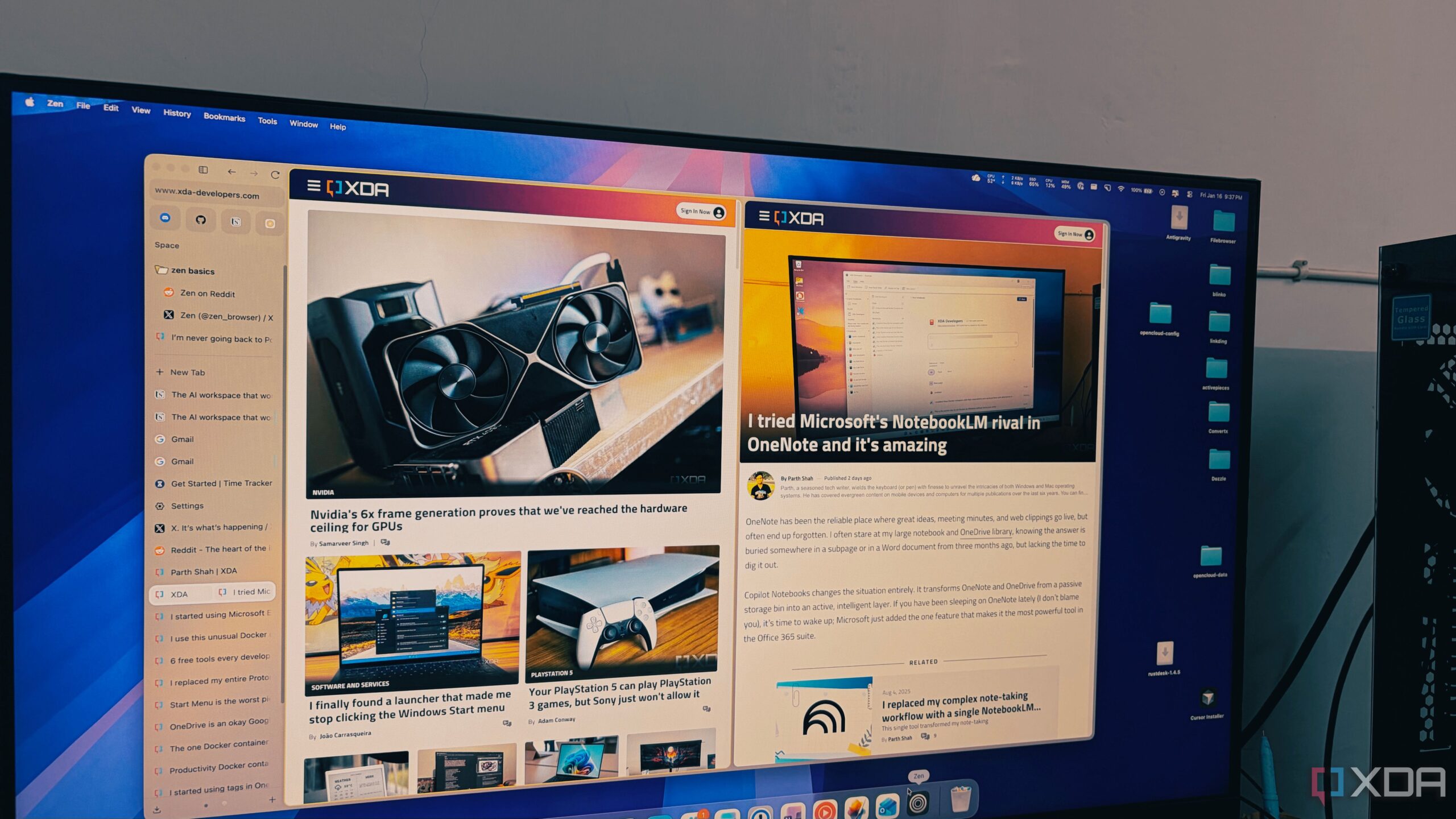
The Zen Browser has emerged as a promising alternative for users overwhelmed by traditional web browsers, particularly those who regularly manage extensive tab collections. Built on the foundation of Firefox, Zen offers a unique and minimalist approach that significantly enhances productivity, especially for individuals accustomed to juggling numerous research tabs.
Transforming Tab Management
Many users experience frustration when their browsers struggle to handle multiple tabs. In contrast, Zen Browser efficiently manages over 100 open tabs without sacrificing performance. The browser’s vertical tab layout allows users to view complete titles and navigate their resources with ease, alleviating the stress commonly associated with traditional horizontal tab systems.
The design philosophy behind Zen acknowledges how users naturally read and interact with content. By shifting to a vertical orientation, this browser respects screen real estate and provides a clearer overview of open tabs. As users scroll through their active tabs, they can effortlessly access their research without playing memory games, thanks to the browser’s intuitive layout.
Innovative Features for Enhanced Productivity
One of the standout features of Zen is its “Essentials” section, which allows users to keep essential applications like WhatsApp, Gmail, and Slack readily accessible. Unlike standard pinned tabs that can shift or shrink, the Essentials section displays large favicons, ensuring these vital tools remain permanently visible.
In addition to Essentials, Zen Browser includes customizable workspaces that let users separate their various projects. For instance, those engaged in writing can maintain a dedicated workspace, while personal tasks can be organized independently. This separation enhances focus and minimizes distractions, making it easier to manage diverse responsibilities.
Another significant aspect of Zen is its use of Firefox’s container technology. This innovation enables users to manage multiple accounts—such as two Google accounts—within the same browser window. Each container is distinctly color-coded, simplifying account navigation while ensuring data privacy.
Performance-wise, Zen Browser operates on the Gecko engine, which has demonstrated notable efficiency compared to Chromium-based browsers like Chrome and Edge. Users have reported that Zen maintains a responsive and snappy experience, even with numerous tabs open, avoiding the sluggishness often associated with traditional browsers.
For users who frequently work with many tabs, Zen Browser represents a thoughtful and effective solution. It combines the best elements of modern design with the performance and privacy features inherent in Firefox. As digital habits evolve, Zen offers a refreshing alternative that recognizes and accommodates the needs of today’s internet users.
In a landscape dominated by Chromium clones, Zen Browser stands out by addressing the specific challenges faced by those who demand more from their web experience. As the browser continues to gain traction, it signals a shift towards a more user-centric approach in web browsing.